If you have ever worked in a large-scale data center, you know the feeling of looking at a list of 5,000 virtual machines and having no clue which ones actually belong together. You might see a server named “PROD-SQL-01,” but does it only talk to the web server next to it, or is there some legacy accounting software in a different rack that will crash if you move that SQL box?
This is exactly the problem vRealize Infrastructure Navigator (VIN) was built to solve. Back in the day, it was the “secret sauce” for VMware administrators who needed to understand the complex relationships among their applications without having to interview every developer in the building.
What is vRealize Infrastructure Navigator?
At its core, vRealize Infrastructure Navigator is an automated discovery and dependency mapping tool. It was designed specifically for VMware vSphere environments. Instead of relying on a spreadsheet last updated 3 years ago, VIN gives you a live, visual map of how your services communicate.
I remember the first time I deployed VIN in a production environment. We were preparing for a massive hardware refresh, and the fear of “breaking the network” was high. Within hours of deploying the VIN virtual appliance, we could see lines connecting our web tiers to our databases and even identify rogue services that shouldn’t have been there in the first place. It felt like someone finally turned the lights on in a dark room.
How the Magic Happens: Agentless Discovery
One of the biggest hurdles in IT is getting “permission” to install things on servers. Application owners are notoriously protective. If you tell them you want to install a monitoring agent on their production database, the answer is almost always “no.”
VIN bypassed this headache entirely by using Agentless Discovery.
The Secret Ingredient: VMware Tools
VIN doesn’t need to install its own software on your virtual machines. Instead, it hitches a ride on something you (hopefully) already have installed: VMware Tools. By leveraging the VIX API, VIN can access the guest operating system to see which processes are running and which network ports (TCP/UDP) are open.
This was revolutionary because it provided deep visibility without the overhead of managing agents. It looked at the “neighborhood” of the VM—seeing who it talked to, on what port, and how often.
Key Features That Made Our Lives Easier
1. Visual Dependency Maps
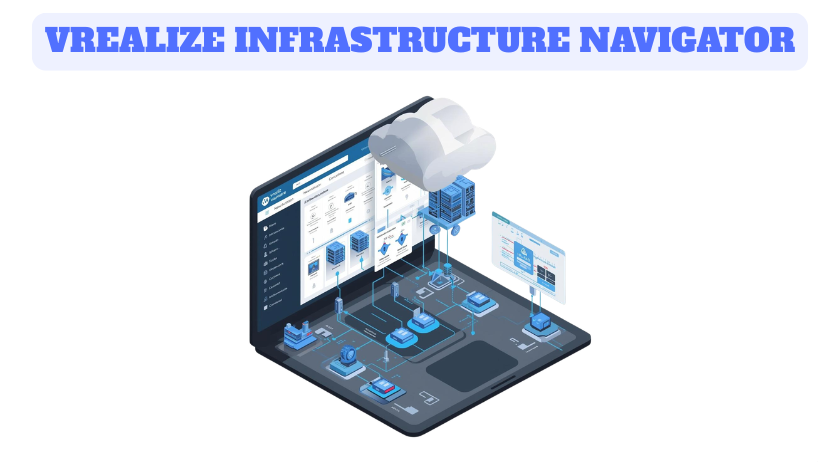
VIN didn’t just give you a list of IP addresses; it gave you a map. You could click on a VM and see a web of connections. This made it incredibly easy to identify “islands”—VMs sitting alone—or “hubs”—critical servers on which everything else depended.
2. Automated Service Identification
The tool came with a pre-built library of signatures. It knew what a MySQL database looked like. It recognized Microsoft Exchange, Oracle, and Apache. This meant it didn’t just say “Server A is talking to Server B”; it said, “The Web Server is talking to the Database.”
3. Integration with SRM (Site Recovery Manager)
This was arguably its most powerful professional use case. When you set up Disaster Recovery, you must group VMs into “Protection Groups.” If you forget a dependency, your DR failover will fail because the app won’t start without its partner. VIN is integrated directly with SRM to ensure your protection groups are complete and accurate.
The Modern Shift: Where is VIN Now?
Nothing stays the same in technology. Around 2017, VMware began moving away from VIN as a standalone product. The functionality didn’t die; it just evolved and moved.
Today, if you are looking for these features, you won’t find a product called “Infrastructure Navigator” in the latest Broadcom/VMware catalog. Instead, that technology has been baked into vRealize Operations (now known as Aria Operations). Specifically, it lives within the Service Discovery Management Pack.
Why the change?
The move made sense. Admins didn’t want a separate appliance and a separate UI for mapping. They wanted their performance data (vROps) and their dependency data (VIN) in the same dashboard. If a database is slow, you want to see who is affected by it on the same screen.
Personal Thoughts and Advice
In my experience, tools like VIN are only as good as the cleanliness of your environment. If you have “network noise” or misconfigured firewalls, the maps can get messy. My advice to anyone using modern service discovery is to use filters. Don’t try to map the whole data center at once. Focus on one application at a time—map the “Gold” tier apps first, then work your way down.
Also, remember that while agentless is great, it does rely on the health of your VMware Tools. If your tools are out of date or not running, VIN (and its modern successors) will be blind. Keep those tools updated!
Conclusion
vRealize Infrastructure Navigator was a pioneer in automated data center management. It took the guesswork out of migrations and the “finger-pointing” out of troubleshooting. While the name has changed and the product has been absorbed into the broader Aria (vRealize) Suite, the core mission remains the same: helping you understand the heartbeat of your digital infrastructure.
Frequently Asked Questions (FAQ)
Q: Is vRealize Infrastructure Navigator still available? A: No, the standalone product reached End of Life (EOL) years ago. Its functionality is now part of VMware Aria Operations (formerly vRealize Operations) through the Service Discovery feature.
Q: Does VIN require an agent to be installed on my servers? A: No, it was agentless. It used VMware Tools and the VIX API to gather information from the guest operating system.
Q: Can I use VIN to plan a migration to the cloud? A: Absolutely. While the original tool is legacy, the concept is essential for cloud migrations. You need to know which VMs must move together to avoid “latency hair-pinning” or broken connections.
Q: What is the main difference between VIN and vRealize Operations? A: VIN focused specifically on relationships (what talks to what), whereas vRealize Operations focuses on health and performance (is the VM running well?). Today, they are merged into one platform.